Agent tools and extensions
Equip an Agent with MCP servers, Skills, and Plugins while preserving its program's native tools.
MCP servers, Skills, and Plugins extend what an Agent can do. Configure them when creating or updating an Agent to give it external services, domain procedures, and packaged extensions.
What an Agent can add depends on its Agent program, which declares it; a field
the program does not read is refused when the Agent is saved. Skills work with
every bundled program: Claude Code reads them from its configuration
directory, and Codex, Pi and DeepSeek Harness from ~/.agents/skills, the
shared Skills root all three scan. Codex takes Codex plugins (packages of
kind codex-plugin): a plugin directory with a Codex, Claude Code or Cursor
plugin.json, or an Agent Plugins v1.0 one, which Codex installs from a
marketplace AstraBox writes in the conversation's home before Codex starts.
MCP servers an author declares work with every program, each in its own
configuration: Claude Code and Hermes take stdio, HTTP and SSE servers;
Codex, Pi and DeepSeek Harness take stdio and streamable HTTP ones. Claude
Code plugins (packages of kind claude-plugin) work with Claude Code.
Pi installs its own packages from the packages list of its settings
(engine_options.settings), which Pi fetches when it starts. DeepSeek
Harness takes plugin Bundles as
the dependencies of its web profile's package.json
(engine_options.profile_package), which AstraBox writes and installs with
dsh plugin --profile web install before the harness starts; a Bundle is
also how a profile composition (a patch layer) is packaged. A limited
RuntimeProfile admits the hosts these sources name (their git hosts and the npm
registry) the way it admits a Skill's Git origin: a public host is added for
the Agent, and a private one only if the RuntimeProfile names it. Connectors work
with every program.
Native tools always remain available.
What Extensions Do
The selected Agent program supplies its own native tools, such as reading files, editing code, running commands, and searching. AstraBox does not duplicate those tools in a separate tools field.
Agent configuration adds three kinds of extension:
- MCP servers expose live functions and data.
- Skills provide reusable instructions, procedures, and supporting files.
- Plugins package Skills, commands, and MCP definitions together.
When AstraBox first prepares or rebuilds a Session runtime, it prepares the configured extensions in the sandbox. The Agent program decides when to use them based on the task.
Prewarming can prepare those extensions before a Session starts. To fetch Plugins and Skills again using the saved configuration, use Reprepare on the Agent. This replaces only unclaimed capacity; existing Sessions keep their runtimes, and pinned commits remain pinned.
Available Extensions
MCP servers use one of two connections: a remote HTTP service outside the sandbox, or a local stdio command inside it. Connection type and configuration source are separate choices. An Administrator-managed remote MCP server is still remote; administrator management changes who maintains its definition.
| Extension | Purpose | Typical scenarios |
|---|---|---|
| Remote MCP server | Call an MCP service running outside the Session sandbox | Databases, ticketing systems, document services, internal APIs |
| Local stdio MCP server | Start an MCP command inside the Session sandbox | Filesystem tools, local analyzers, command-based integrations |
| Skill | Supply a focused procedure and supporting files | Code review, release checks, report generation |
| Plugin | Install a reviewed bundle of Skills, commands, and MCP definitions | Team extension packs and domain workflows |
Notes:
- A server outside the sandbox is a remote MCP server whether its definition is saved on the Agent, managed by an administrator, or packaged in a Plugin. Those choices change only who maintains the configuration.
- The selected Agent program determines which extension formats it supports. AstraBox rejects an Agent configuration that its selected program does not consume.
- Saving an Agent does not reconfigure a task already running. AstraBox uses the latest extension configuration when it first prepares or rebuilds a Session runtime.
- Network rules and credentials are separate from an MCP definition. A remote server must be reachable from the sandbox, and protected credentials must match its exact destination.
What an Agent's own extensions may reach
Any signed-in user may create an Agent, so the extensions an Agent declares itself reach only what an administrator made available:
- In a
limitedRuntimeProfile, the Git hosts of the Agent's Skills and Plugins are added to the allowed hosts, and so are its remote MCP servers when the RuntimeProfile allows remote MCP servers. A host is added only when it is a public internet address or the RuntimeProfile already lists it. - A private, loopback or link-local address is the deployment's own network:
the Docker bridge where the platform and other sandboxes listen, and the
cloud metadata service. A host with such an address, or a name that resolves
to one or does not resolve, is refused with
AGENT_EGRESS_HOST_REFUSED(403) when the Agent is saved, and again before a sandbox is prepared. To make an internal host available, an administrator adds the host, IP or CIDR to the RuntimeProfile's allowed hosts. - A host name is resolved when the Agent is saved. The sandbox resolves it again whenever it connects, so the check describes where the name pointed at that moment.
- An
unrestrictedRuntimeProfile already allows every destination, and an Agent's hosts do not change it. - An Agent's own MCP definition cannot set
providerorcredential_target_url; only an administrator's MCP catalog assignment sets them. See Authenticate with Vaults. - Extensions administrators publish in the MCP and Skill catalog keep the hosts the administrator configured.
Native and Browser Capabilities
Browser and web capabilities belong to the selected Agent program or to an extension it supports. AstraBox does not define a second platform-level browser toolset with its own tool names.
Use the Agent program's native configuration when it includes browser support. Otherwise, add a browser MCP server or reviewed Plugin and allow its remote and package hosts in the RuntimeProfile's network policy.
When integrating browser capabilities:
- use the names and permission rules defined by the Agent program or MCP server;
- changing the Agent does not alter a task already running; AstraBox uses the latest settings when it next prepares or rebuilds the Session runtime;
- verify one real browser operation and any live-preview path the extension provides;
- do not assume another Agent program implements the same browser behavior.
Current Formats
Agent-level extensions use the native formats supported by the selected Agent program. Open Console > Agents, create or open an Agent, then use the MCP, Skills and Plugins section. Project repositories are configured separately under Workspace configuration.
Keep the MCP service name, URL, transport, and permitted request headers with the service definition. Store the secret value in an AstraBox Credential Vault and assign that Vault to the Agent. At runtime the sandbox connects to the service itself and the selected provider attaches the assigned credential at the matching protected outbound request, keeping the secret outside the sandbox.
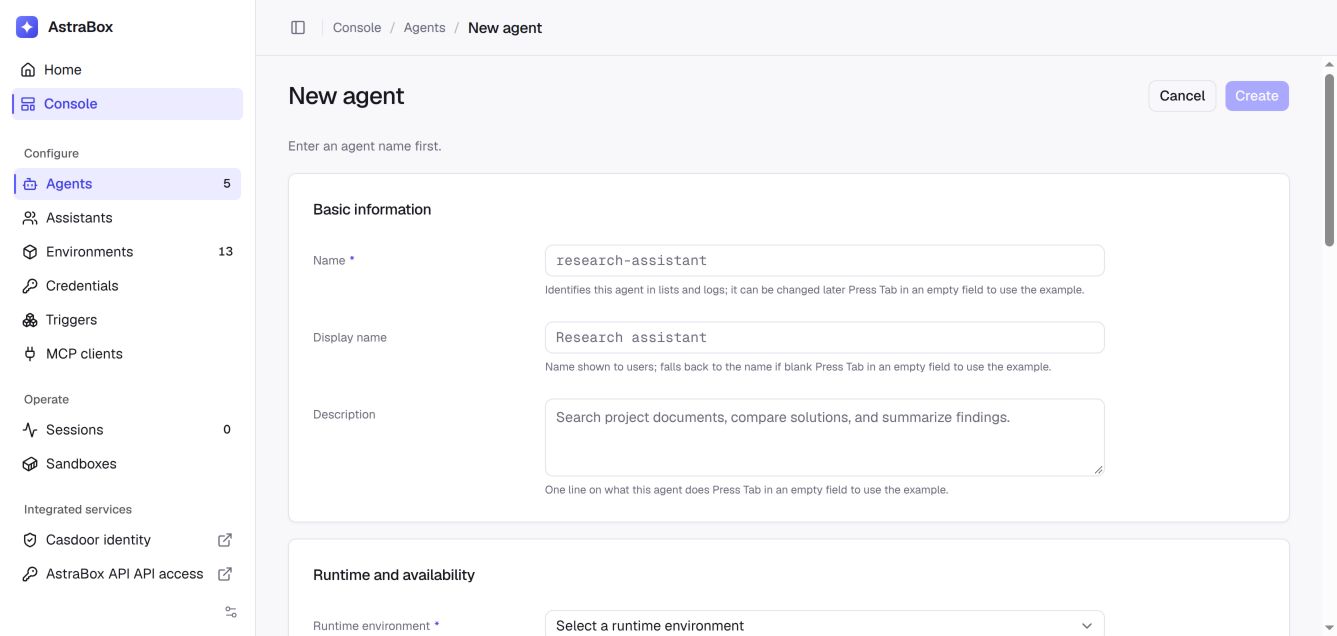
When the deployment runs an extension catalog, MCP configuration and Skill configuration on an existing Agent each group the catalog's multi-select, named after the catalog (for example MCP servers from LiteLLM), with a custom configuration field. The two sources are combined; MCP server names must be unique, and identical Skill sources are deduplicated. Without a catalog, the fields stand alone as MCP servers and Skills. Empty fields show examples without storing them. Press Tab in an empty field to accept its example, then edit and explicitly save it. Shift+Tab or Tab in a filled field keeps normal keyboard navigation. The custom configuration fields use these formats:
{
  "mcp_servers": {
    "public-data": {
      "type": "http",
      "url": "https://mcp.example.com/mcp"
    }
  },
  "skills": [
    "https://github.com/example/agent-skills.git@REVIEWED_COMMIT_SHA#skills/code-review"
  ],
  "packages": [
    {
      "kind": "claude-plugin",
      "url": "https://github.com/example/agent-plugins.git",
      "sha": "REVIEWED_COMMIT_SHA",
      "paths": ["plugins/code-review"]
    }
  ]
}
The system prompt and every extension are optional. Configure only the capabilities the Agent needs, then click Create or Save.
Repository authentication
If a Plugin or Skill repository requires HTTPS authentication, ask a platform administrator to open Console → Credentials, add an HTTP Basic (Git HTTPS) credential with the repository's full HTTPS URL, username, and access token, and assign its Vault to the Agent that downloads the extension.
Keep the repository URL in the Plugin or Skill configuration free of tokens. After the Vault is assigned, start a new Session. See private Git repository authentication for the full console procedure, a Gitee example, and clone-error troubleshooting.
This credential authorizes downloading the extension. A protected MCP service inside the Plugin needs its own service credential; see MCP credential configuration.
Extension Configuration Examples
Minimal (remote MCP only)
{
  "mcp_servers": {
    "public-data": {
      "type": "http",
      "url": "https://mcp.example.com/mcp"
    }
  }
}
Full development stack
{
  "mcp_servers": {
    "workspace-files": {
      "command": "npx",
      "args": ["-y", "@modelcontextprotocol/server-filesystem", "/workspace"]
    },
    "public-data": {
      "type": "http",
      "url": "https://mcp.example.com/mcp"
    }
  },
  "skills": [
    "https://github.com/example/agent-skills.git@REVIEWED_COMMIT_SHA#skills/code-review"
  ],
  "packages": [
    {
      "kind": "claude-plugin",
      "url": "https://github.com/example/agent-plugins.git",
      "sha": "REVIEWED_COMMIT_SHA",
      "paths": ["plugins/development"]
    }
  ]
}
The extension catalog
An extension catalog is a list of MCP servers and Skills that a deployment
maintains once and that Agents and Assistants select from, instead of writing
each definition on every record. The catalog comes from the extension provider
the deployment selects with ASTRABOX_EXTENSION_PROVIDER:
| Value | Catalog |
|---|---|
empty (the default) or litellm | The MCP servers and Skills registered in the bundled LiteLLM gateway. Agent managers open its pages with Manage MCP servers in LiteLLM and Manage Skills in LiteLLM on the Agent page. |
builtin | The MCP servers an administrator registers in AstraBox through /api/v1/admin/mcp-servers. It has no Skills and no management page. |
none | No catalog. Agents and Assistants use only the MCP servers, Skills and packages written on them. |
| another name | A provider an installed package registers at the astrabox.providers.extensions entry point. |
The console names the catalog after the provider and offers a management page
only when the provider has one. Startup refuses a value that no installed
provider registers. In a Compose installation, set the variable in
containers/.env.
Run without an extension catalog
With ASTRABOX_EXTENSION_PROVIDER=none, an Agent page, an Assistant page and
the Assistant defaults show only the record's own MCP, Skill and package
fields, and send no request to a catalog. The catalog API routes
(GET /api/v1/agents/{agent_id}/extensions and their Assistant and defaults
counterparts) answer 409 EXTENSION_CATALOG_DISABLED.
A record can still hold a catalog selection saved while a catalog ran. AstraBox does not drop it and does not run without it:
- Startup logs each enabled Agent, each Assistant and the Assistant defaults that still hold one.
- Starting work for such an Agent or Assistant (a new conversation, a prepared
runtime, an Assistant workspace) fails with
EXTENSION_CATALOG_DISABLEDinstead of starting with fewer tools than the record names, and while the Assistant defaults hold one, so does every Assistant's. Creating an Agent conversation answers409. Existing conversations stay readable. - The record's page lists the selection, the provider and entry of each MCP server and the Git source of each Skill, with Remove selections. Removing it saves an empty selection, the only one accepted without a catalog. To keep a catalog Skill, add its listed Git source to the Skills field before removing the selection.
Update extension configuration
Open the Agent in Console > Agents. Change the selected MCP servers or Skills in the extension card, or edit the direct MCP, Skill, and Plugin repository fields, then click Save for that section.
Saving does not reconfigure a task already running. AstraBox uses the latest saved Agent when it first prepares or rebuilds a Session runtime. If another user saves the same Agent first, the console reports a conflict instead of overwriting that change.
Inspect current extension configuration
Open the Agent in Console > Agents. The MCP, Skills and Plugins section shows the direct MCP definitions, Skill sources, and Plugin repositories, and, when the deployment runs an extension catalog, the MCP servers and Skills selected from it.
FAQ
Q: What happens if I do not configure extensions?
A: The Agent program retains its native tools. It simply has no additional MCP servers, Skills, or Plugins configured on the Agent.
Q: Can extension configuration be overridden at the Session level?
A: Not currently. Extension configuration belongs to the Agent. AstraBox resolves the current Agent configuration when it first prepares or rebuilds a Session runtime. Use another Agent when a different extension set is required.
Q: Does the order of extension entries matter?
A: The Agent program decides when to use an extension based on the task. Names must be unique where the program addresses an extension by name.
Q: Will extension formats change over time?
A: The format belongs to the Agent program, MCP protocol, Skill specification, or Plugin format. Pin reviewed Git revisions and follow the corresponding upstream release notes.
Next steps
- Permission modes — Control how the Agent program asks for approval before tool actions.
- Agent Skills — Attach reusable domain procedures to an Agent.
- Defining an Agent — Review the complete Agent configuration.
- Sessions — Start and continue Agent work.