Access GitHub
Clone a GitHub repository into a Session workspace so the Agent can read, modify code, and create Pull Requests.
AstraBox lets you configure one default GitHub repository on an Agent. When preparing a new workspace, the platform clones the repository before the first message; this can happen during prewarming, before a Session claims it. The Agent can then read, edit, commit, and push code as if working in a local checkout. For one-off work on a public repository, put the HTTPS URL in the task and let the Agent clone it directly.
Repository checkouts share their lifecycle with the owning Session. Changing the repository URL, branch, or depth on the Agent does not swap the checkout inside a running sandbox. The updated repository is used for new workspaces; restoring an existing workspace does not re-clone it or replace its checkout. Start a new Session when you need a separate checkout.
Workflow
- Prepare repository access. For a private default repository, an
administrator creates an SSH deploy key that grants the repository
permissions required for the task — read, write, and so on — stores the
private key in the AstraBox service environment, and lists its secret name
in
ASTRABOX_DEPLOY_KEY_SECRET_NAMES. - Configure the repository on the Agent. Add the SSH URL and Deploy Key secret name under Project repository. For one public-repository task, send the HTTPS URL in the user message instead.
- Agent works on the code. Once the Session starts, the Agent can read and modify files in the checkout through the selected Agent program's native capabilities.
- (Optional) Open a Pull Request. Have the Agent push a branch with
git pushand open a Pull Request through a configured GitHub MCP server, the GitHub API, or aghCLI available in the sandbox image.
Repository clones use the Session workspace. Commit and push promptly, or download important patches and outputs. A configured persistent workspace can retain the checkout across sandbox replacement; without one, deleting the sandbox loses its local files. Restoring native conversation state does not restore repository files.
Default repository fields
An Agent's default GitHub repository uses the following fields. Enter them under Project repository:
| Field | Type | Required | Description |
|---|---|---|---|
url | string | Yes | SSH repository URL, for example git@github.com:your-org/your-repo.git. |
protocol | string | No | Use ssh for the default repository. It is the current runtime-supported protocol. |
deploy_key_secret_name | string | Yes | Logical name of the environment secret containing the SSH private key. It must be listed in ASTRABOX_DEPLOY_KEY_SECRET_NAMES. |
branch | string | No | Branch or tag to clone. Omission uses the repository default. |
depth | integer | No | Positive shallow-clone depth. Omission clones full history. |
The checkout is placed in the Session working directory before the first message.
deploy_key_secret_name stores only a logical secret name on the Agent. The private key is read on the AstraBox server when the checkout is prepared and is never returned by the Agent API.
Who may use which credentials
Any signed-in user may create an Agent, and its fields decide what the sandbox clones and connects to. An Agent can therefore use only what an administrator made available:
- Deploy keys.
deploy_key_secret_nameresolves only a name listed inASTRABOX_DEPLOY_KEY_SECRET_NAMES. Any other name is refused when the Agent is saved, withAGENT_DEPLOY_KEY_NOT_ALLOWED(403), and again before a sandbox is prepared. The server's other environment variables cannot be named as a deploy key. The value must be a PEM or OpenSSH private key. - Key lifetime in the sandbox. The deploy key is written to the Session
user's
~/.ssh/id_ed25519for the clone and stays there for later pushes. When the clone fails, the key is removed. - Private HTTPS repositories. A Plugin or Skill repository declared with an
HTTPS URL never receives a deployment-wide token. Use an
http_basicCredential assigned to the Agent; the sandbox's egress proxy adds it outside the sandbox. See Authenticate with Vaults. - Repository hosts in a limited RuntimeProfile. Plugin and Skill Git hosts join
a limited RuntimeProfile's allowed hosts only when they are public internet
addresses or the RuntimeProfile already lists them. A private, loopback or
link-local address, or a name that resolves to one or does not resolve, is
refused with
AGENT_EGRESS_HOST_REFUSED(403). To use a Git server on your own network, an administrator adds its host, IP or CIDR to the RuntimeProfile's allowed hosts.
Configure a GitHub repository on an Agent
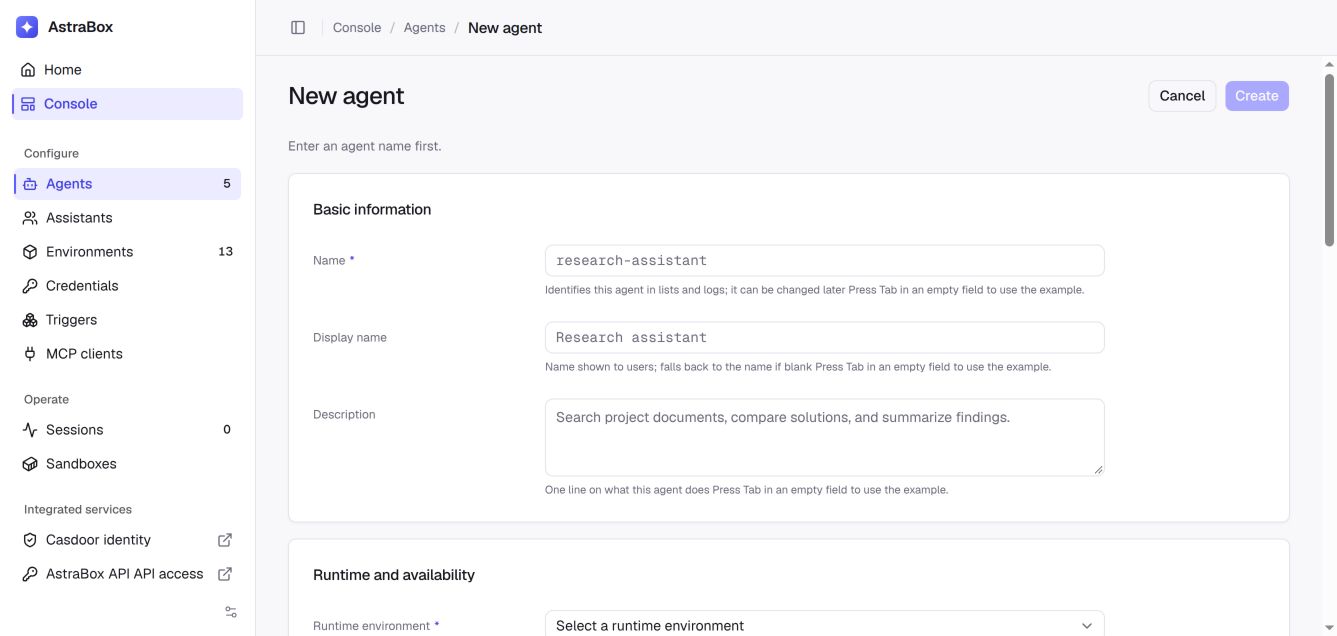
In the console, open Agents, create or edit an Agent, and expand Show advanced settings. Under Project repository, enter:
{
  "url": "git@github.com:your-org/your-repo.git",
  "protocol": "ssh",
  "deploy_key_secret_name": "your-repo-deploy-key",
  "branch": "main",
  "depth": 1
}
Save the Agent and start a new Session from it. AstraBox clones the repository before the Agent receives the first message.
State the task and target branch clearly in the Agent's system prompt or the user message. The repository is the Session working directory, so a separate mount path is not required.
Work with multiple repositories
One Agent has one default_repo. The Agent can clone additional public HTTPS repositories during the task, for example to inspect a frontend and backend together:
Clone https://github.com/your-org/frontend into ./frontend and
https://github.com/your-org/backend into ./backend, then trace the login flow
across both repositories.
Repositories that distribute Skills or Plugins are configured separately as Skill sources or Plugin repositories; they are not additional project checkouts.
Private repositories that require different credentials should be handled by separate Agents or by an approved Git/MCP integration whose credentials are assigned through AstraBox.
Repository permission model
The default repository uses an SSH deploy key. Create one key per repository and grant read access unless the Agent must push commits:
ssh-keygen -t ed25519 -f astrabox-deploy -N ""
Add astrabox-deploy.pub to the GitHub repository as a deploy key. Store the private key in the AstraBox service environment, and list its logical name in ASTRABOX_DEPLOY_KEY_SECRET_NAMES (comma-separated) so Agents may use it. Logical names are converted to uppercase and hyphens become underscores, so your-repo-deploy-key reads YOUR_REPO_DEPLOY_KEY:
services:
  server:
    environment:
      ASTRABOX_DEPLOY_KEY_SECRET_NAMES: your-repo-deploy-key
      YOUR_REPO_DEPLOY_KEY: |
        -----BEGIN OPENSSH PRIVATE KEY-----
        ...
        -----END OPENSSH PRIVATE KEY-----
Every Agent author on the deployment may use a listed key, so list only keys whose repository access you would give each of them.
Some sandbox backends allow HTTP/HTTPS egress but not SSH. For those backends, AstraBox translates an SSH clone to HTTPS and uses the deployment secret named by ASTRABOX_GIT_HTTPS_TOKEN_SECRET_NAME, only for the Git host in ASTRABOX_GIT_HTTPS_TOKEN_HOST; a repository on any other host is refused. The two settings are set together, and AstraBox refuses to start with them when every enabled sandbox backend clones over SSH, where no clone would use the token.
Recommended permissions
If the Agent also uses a GitHub fine-grained PAT for API or gh operations, grant only the repository permissions required for the task. A classic PAT uses the broader repo scope.
| Agent action | Fine-grained PAT permission |
|---|---|
| Clone or read a private repository | Contents: Read |
| Create a branch and push | Contents: Read & Write |
| Open or comment on Pull Requests | Pull requests: Read & Write |
| Read Issues | Issues: Read |
| Create or comment on Issues | Issues: Read & Write |
| Read repository metadata | Metadata: Read |
A fine-grained PAT can be scoped to specific repositories. Prefer short-lived, task-specific credentials over a classic PAT shared by several Agents.
Security guidance
- Keep private keys and tokens out of Agent JSON, logs, screenshots, and version control. Store only the logical secret name on the Agent.
- Grant a deploy key write access only when the Agent must push. Revoke or rotate it after unintended disclosure.
- Use separate credentials for development and production so audit trails remain meaningful.
- Allow only the required Git hosts in a restricted RuntimeProfile's network policy. The built-in SSH clone accepts the Git server's presented host key without a known-hosts check, so use a trusted network path and repository-scoped credentials.
Pull Request workflow
Inside the repository directory, the Agent can run git directly. Opening a Pull Request also requires a GitHub API credential and either a GitHub MCP server, a compatible API client, or the gh CLI installed in the selected sandbox image.
To drive the full edit → push → open PR flow:
- Give the repository Deploy Key write access, and configure a GitHub API credential for the MCP server or client that will open the Pull Request.
- State the task, repository, target branch, and Pull Request requirements clearly in the user message.
For example, send this message in the Session:
Fix issue #128. Create branch
fix/refresh-token, updatesrc/auth/refresh.ts, add tests, commit the change, push the branch, and open a Pull Request againstmainwith the titlefix(auth): rotate refresh token on login.
AstraBox does not place a GitHub PAT in GH_TOKEN automatically. Configure the GitHub API credential explicitly, and verify that the chosen MCP server or CLI receives it without exposing it to unrelated requests.
Best practices for Agent configuration
- Use the Agent program's native file, search, edit, and command capabilities for code work.
- State the repository, target branch, expected tests, and required output in the system prompt or user message.
- For long tasks, ask the Agent to run
git statusbefore finishing so nothing remains unintentionally uncommitted. - To carry artefacts across Sessions, push a reviewed branch or download patches and reports through the Session Files panel before the sandbox is terminated.
FAQ
Q: The repository is huge — how do I speed up cloning?
A: Set a positive depth on default_repo for a shallow clone, and select the branch when the task does not need full history. For one-off analysis, narrow the task or provide only the relevant files.
Q: What if the deploy key or PAT expires or is revoked?
A: New clones, pushes, or GitHub API calls fail. Replace the server-side secret and start a new Session. If an existing Session has unpushed changes, download a patch before releasing its sandbox.
Q: Are private forks or organization-internal repositories supported?
A: Yes, when the deploy key or PAT can read the target repository. If the organization enforces SSO for PATs, authorize the PAT before using it for GitHub API operations.
Q: Are Git submodules supported?
A: default_repo has no separate submodule field. Ask the Agent to run git submodule update --init --recursive, and provide read access to every submodule repository.
Q: Can I swap repositories on a running Session?
A: Updating the Agent does not replace files in the active sandbox. The new default repository, branch, or depth applies to new workspaces, not to restoration of an existing checkout. Start a new Session when you need a separate checkout.
Q: Will the Agent automatically push changes back to GitHub?
A: No. Unless the Agent runs git push, edits remain in the Session workspace. Ask explicitly for a pushed branch or Pull Request.
Q: Is GitHub Enterprise Server supported?
A: Use a reachable SSH repository URL and a credential authorized for that server. Allow its hostname in the RuntimeProfile network policy and verify Git and API access from the production sandbox topology.
Next steps
- Sessions — start and operate a Session
- HTTP API — create a Session and send work
- Skills — reuse code review and Pull Request workflows
- Container reference — workspace layout and file persistence